Shopify app for Indian GST

A GST invoice for every Shopify order.

GST Point creates the invoice, works out CGST, SGST or IGST from the place of supply, emails the PDF to your customer and keeps GSTR-1 ready for your CA.

Free plan · 50 invoices a month · No watermark

Try it:
CGST · SGST · IGSTChosen from the place of supply
GSTR-1 and HSNExcel, CSV and GSTN JSON exports
Correct to the paisaWhole-paise maths, rounded once
Every change on recordEdits keep a full revision history
How it works

Orders in. Invoices out. No clicks in between.

Turn on automatic invoicing once. Each new order is finalized and emailed as a tax invoice, and added to your monthly returns.

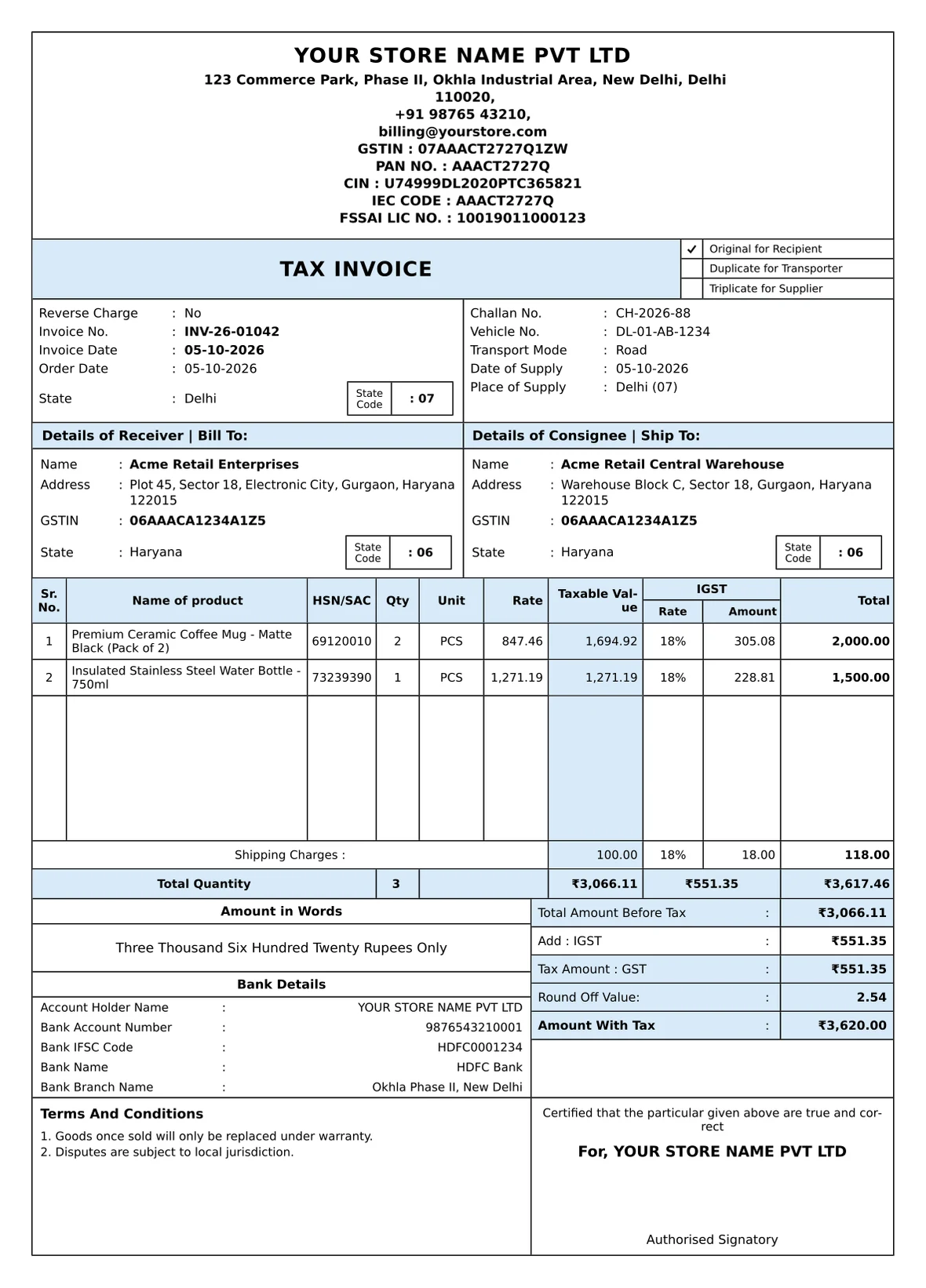
Order #1042 paidAcme Retail · ₹3,620.00
The GST tax invoice created for the order
Creating invoice…
Emailed to the customerPDF attached, or after your return window
Added to GSTR-1B2B, B2C and HSN tables for your CA
  1. 1
    Add your GSTIN once

    Your business details, logo and invoice series appear on every invoice. Past invoices keep the details they were issued with.

  2. 2
    Choose when invoices are created

    When an order is created, paid or fulfilled. If you create them on fulfillment, you can hold the email for 1–30 days so it goes out after returns close.

  3. 3
    Hand over the returns

    Your CA exports GSTR-1, GSTR-3B Table 3.1 and the sales register for any period.

Inside the app

Everything happens in your Shopify admin.

These are the screens you'll use. You don't need a separate login or an export step.

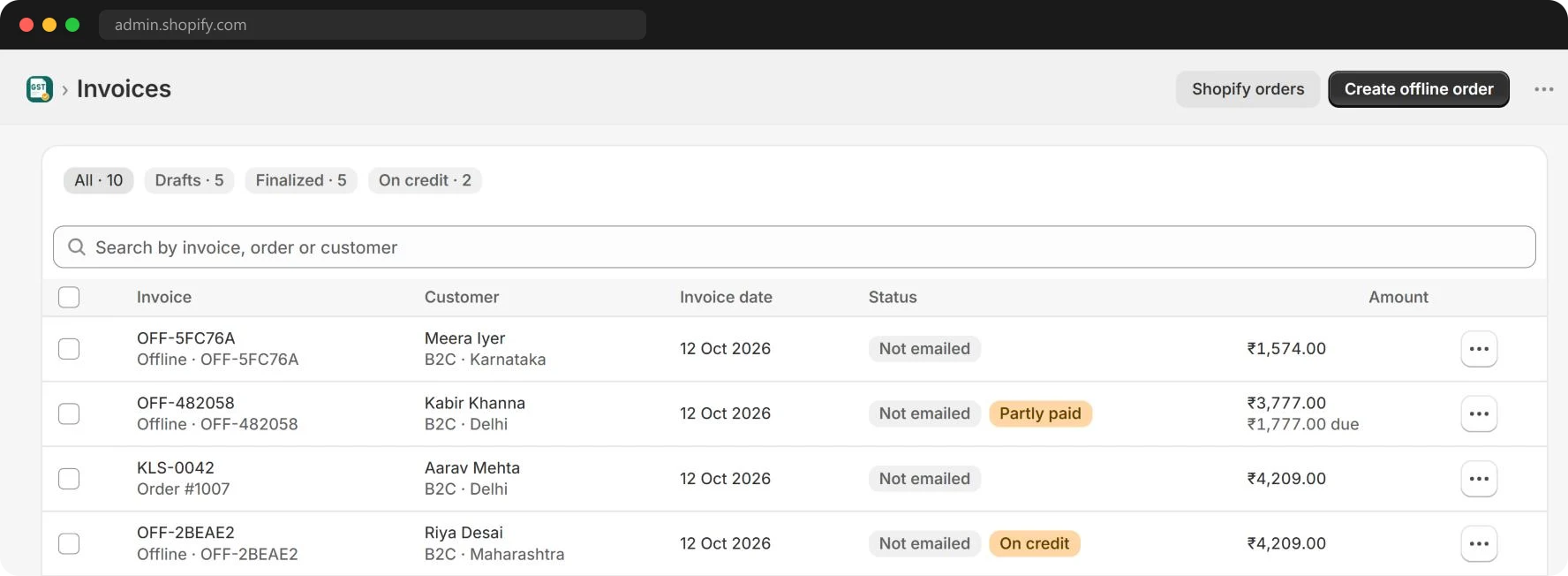
Every order gets its invoice

One list for every invoice, from Shopify orders and offline sales alike, with the customer, place of supply, amount and what's still on credit.

  • Created on order created, paid or fulfilled
  • Bulk print and download
  • Offline and counter sales too
GST Point invoices list with invoice numbers, customers, amounts and payment status

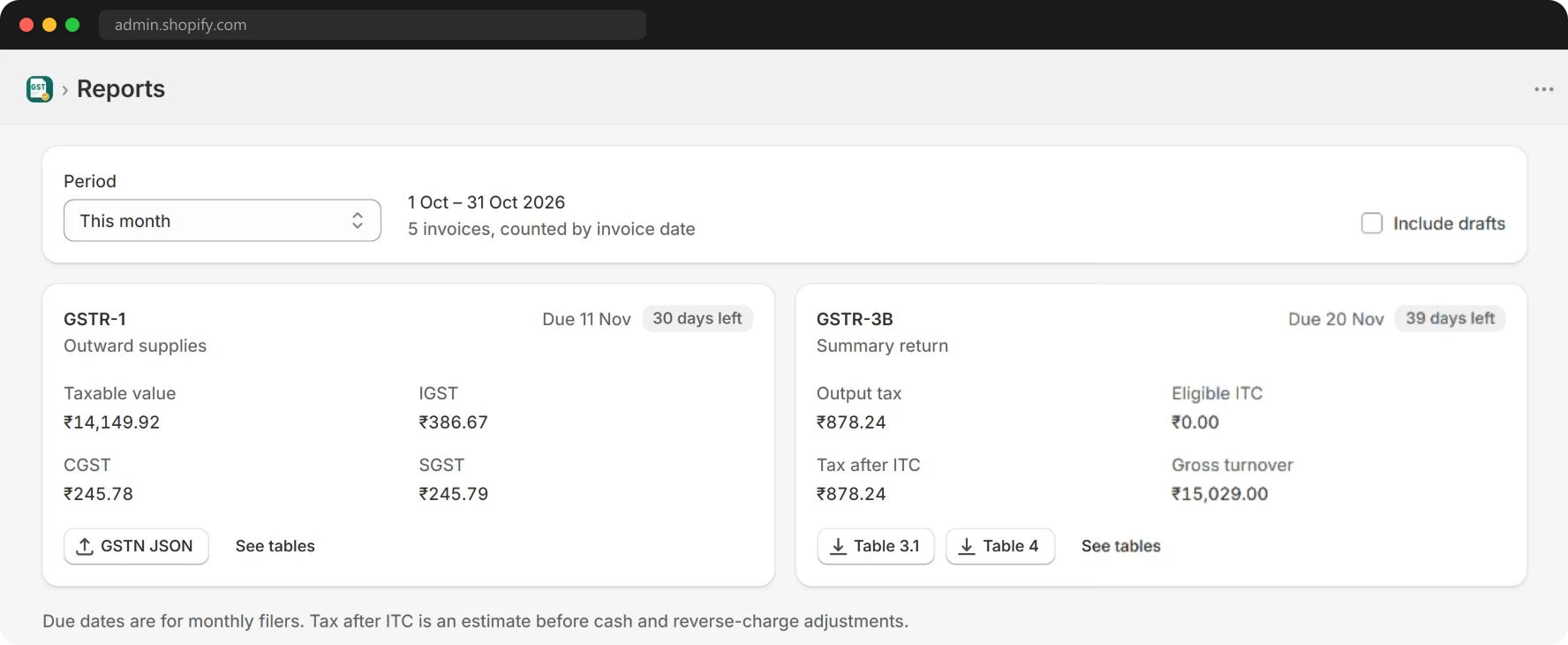
Returns your CA can file from

Turnover, taxable value and GST for the period, with GSTR-1 tables exported as CSV or GSTN JSON.

GST Point reports page with GSTR-1 and GSTR-3B totals and exports

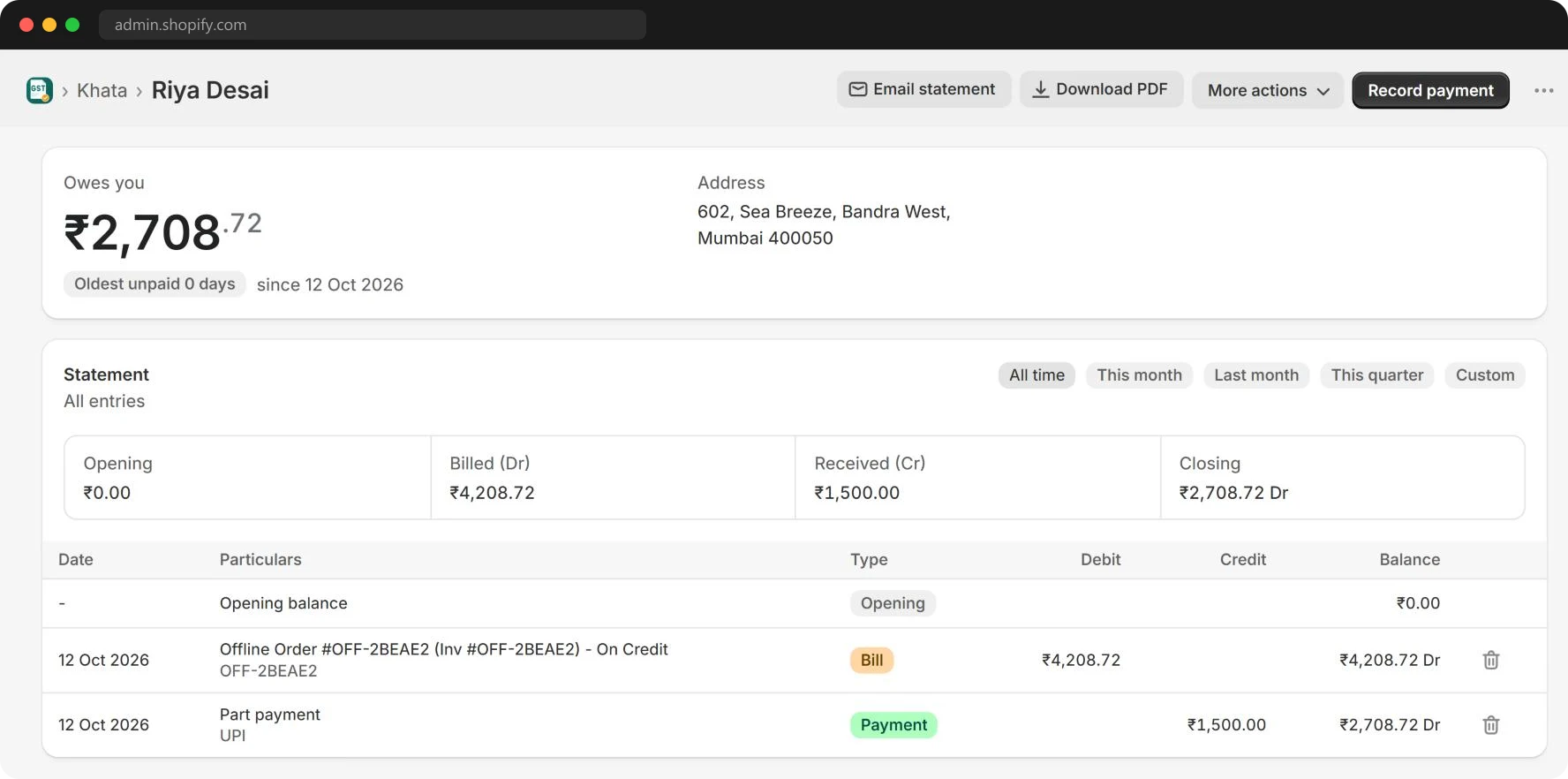
Customer Khata

Invoices, UPI payments, offline bills and credit notes in one running balance, with a statement you can download as a PDF.

GST Point customer Khata with debits, credits and a running balance

Also included

  • GSTIN verificationCheck a buyer's GSTIN and fill in the trade name
  • Proforma and delivery challansThe same order, as any document
  • Credit notesIssued against the original invoice
  • Branded emailsYour subject, greeting and message
  • Logo, PAN and termsPrinted on every invoice
  • Shipping GST your way18% or the goods' rate, split like the items
  • Round-off and amount in wordsDone for you on every total
  • In-app supportAsk a question without leaving Shopify

Coming soon e-Invoice (IRN) and e-Way Bill

Templates

Five invoice designs. All of them real.

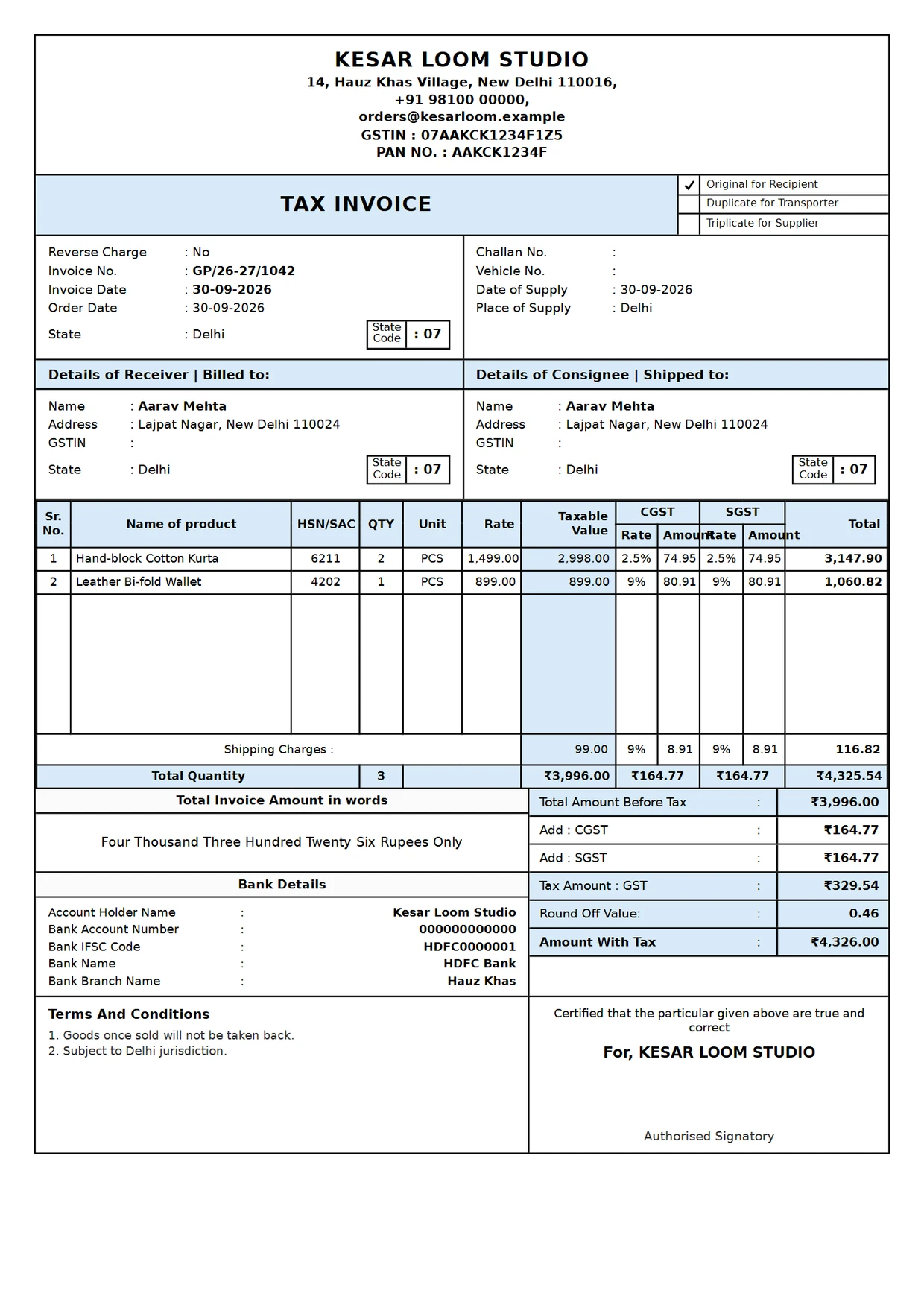
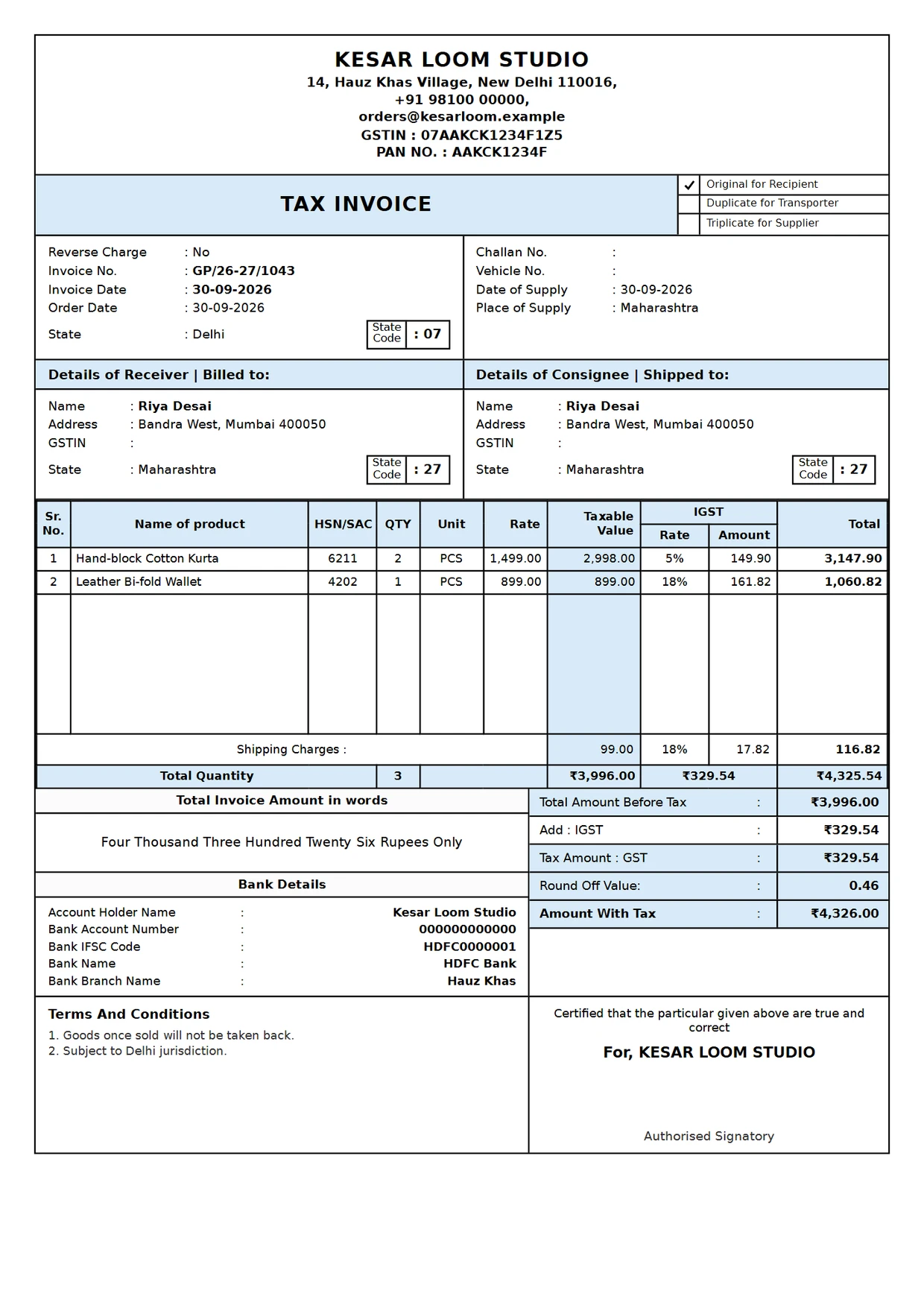
Each preview is a real invoice rendered by GST Point, with every field a GST tax invoice needs.

Classic GST invoice template as generated by GST Point
GST calculator

See the split GST Point would use.

The same rules as the app: whole paise, the odd paisa goes to SGST, and the total rounds to the nearest rupee.

GST rate
Intra-state · CGST + SGST
Invoice total₹0
Pricing

Pay for the invoices you create.

Start free and move up as your orders grow. Prices are in rupees at today's exchange rate, the same as on the Shopify App Store, and appear on your Shopify bill.

300
3001k3k10k

Free

For new stores trying GST Point

₹0/month

50 invoices a month, always free

Start free
  • 50 invoices a month
  • Classic GST invoice template
  • Email invoices to customers
  • 5 GSTIN look-ups a month

Standard

For growing stores with steady orders

₹282/month

300 invoices a month

Start 7-day free trial
  • 300 to 3,000 invoices a month
  • GSTR-1, HSN & sales register reports
  • Automatic invoicing & email
  • Unlimited GSTIN look-ups
  • 3 invoice designs
  • Custom email design & smart tags
  • Return-window email delay
Recommended

Premium

For brands that track customer balances

₹471/month

300 invoices a month

Start 7-day free trial
  • 300 to 10,000 invoices a month
  • Everything in Standard
  • Customer Khata with PDF statements
  • All 5 invoice designs
  • No GST Point branding in emails
  • Priority email support
Compare every feature
FeatureFreeStandardPremium
Invoices a month50Up to 300Up to 300
GSTIN lookups a month5UnlimitedUnlimited
Manual invoice creationYesYesYes
No watermark on invoicesYesYesYes
Logo, PAN and custom termsYesYesYes
Invoice templatesClassic3 templatesAll 5
Automatic invoicing and emailNoYesYes
Custom email design and smart tagsNoYesYes
Email delay after fulfillment (1–30 days)NoYesYes
GSTR-1 and sales tax reportsNoYesYes
Customer Khata and statementsNoNoYes
No "Powered by GST Point" in emailsNoNoYes
Priority email supportNoNoYes
Before you choose

What to look for in a GST invoice app.

Is there a free plan without a watermark?Yes, 50 invoices a month
Is money calculated in whole paise?Yes, everywhere
Is every change to an issued invoice kept on record?Yes, with a full revision history
Do old invoices stay the same when your details change?Yes, details are saved per invoice
Can invoice emails wait until returns close?Yes, 1–30 days
Can your CA download GSTR-1 and HSN files directly?Yes, CSV and GSTN JSON
FAQ

Questions merchants ask.

How does GST Point choose between IGST and CGST + SGST?

It compares your registered state with the place of supply, which is usually the shipping address. Same state: the tax is split equally into CGST and SGST. Different state: the full rate is charged as IGST.

Will invoices have a watermark on the Free plan?

No. Invoice PDFs are clean on every plan. On Free and Standard, invoice emails end with a short "Powered by GST Point" line. Premium removes it.

Can I edit an invoice after it's finalized?

Yes. Open the invoice and click Edit. Everything except the invoice number can be corrected. Saving records a revision: the earlier version and its PDF stay in the invoice's revision history, with the reason you give. If GSTR-1 for that month is already filed, your CA reports the change as an amendment. Invoices with an e-invoice IRN or e-way bill can't be revised; issue a credit note instead.

What happens if I change my address or GSTIN later?

New invoices use the new details. Each finalized invoice keeps a copy of the seller details from the day it was issued.

How is shipping taxed?

Shipping is taxed at 18% GST by default, or at the rate of the goods if you choose that in Settings, and split the same way as the items.

What if I go over my monthly limit?

Limits reset on the 1st of each month. To get more sooner, pick a higher tier on the Billing page in the app. The change applies straight away.

Do you support e-Invoicing (IRN) and e-Way Bills?

Both are in development. Tell us if you'd like early access.

Your next order can have its invoice ready before you pack it.

Install GST Point, add your GSTIN, and turn on automatic invoicing.